Home Audio Accessories for a Better Listening Setup
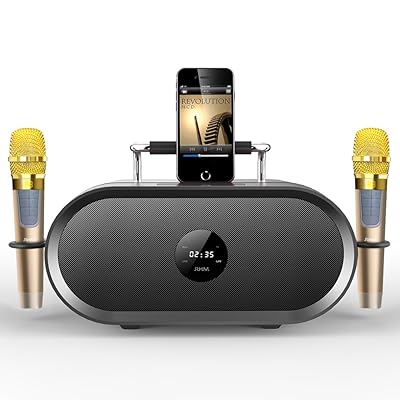
Home audio accessories help connect, position, protect, and fine-tune equipment such as speakers, soundbars, receivers, turntables, and headphones. The category includes speaker cables, audio adapters, stands, wall mounts, isolation pads, remote controls, and cleaning tools. The right additions can make a system easier to use and better suited to a room, whether you are building a stereo setup, improving television sound, or organizing a multiroom listening space. Start with the equipment you already own and the way you listen: music playback, movie sound, vinyl, or everyday background audio may call for different connections and accessories. Consider familiar audio brands such as Bose, Sony, Yamaha, and Audio-Technica as examples when comparing product ecosystems and specifications. Matching accessories to your system helps avoid unnecessary purchases and supports a tidy, dependable setup.
- Accessories for speakers, soundbars, receivers, and turntables
- Options for connection, positioning, control, and care
- Choose additions around your listening setup
Audio Cables, Adapters, and Signal Connections
Cables and adapters carry audio between source devices and speakers or amplifiers. Common options include HDMI for compatible television and audio components, optical digital cables, RCA stereo leads, 3.5 mm auxiliary cables, and speaker wire. Some systems also use USB connections or wireless links such as Bluetooth and Wi-Fi, depending on the equipment. Check the input and output ports on both devices before choosing a cable, and confirm the required length and connector type. For speaker wire, consider the connection terminals and the wire gauge recommended for the system; banana plugs or spade connectors can make compatible installations easier to manage. Cable labels and clips help keep connections organized. When browsing international product selections on Ubuy, compare connector details and stated compatibility carefully, since similarly named accessories may serve different audio standards or devices.
- Match connectors and signal types at both ends
- Check cable length and speaker-wire requirements
- Use labels and clips for organized connections
Speaker Stands, Wall Mounts, and Placement Accessories
Speaker stands, brackets, and wall mounts help position audio equipment at a useful height and orientation. Bookshelf speakers may benefit from dedicated stands, while compatible satellite speakers can be mounted to save shelf space. Soundbar brackets and television mounting accessories are designed for particular installation arrangements, so check the supported model, mounting points, and weight limit before buying. Isolation pads or feet can reduce unwanted vibration between a speaker and its surface, although results depend on the room and equipment. Think about cable routing, access to controls, and nearby furniture as well as appearance. For surround sound, placement relative to the listening position can affect the sense of direction and balance. A stable, correctly sized support is more useful than a mount chosen only for its style.
- Match mounts to speaker models and weight limits
- Consider height, orientation, and cable routing
- Use stable supports suited to the room
Power, Remote Controls, and Listening Comfort
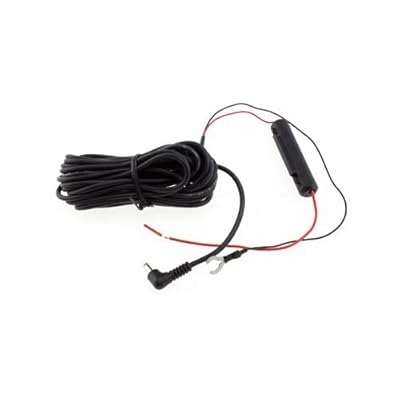
Power and control accessories can make a home audio system more convenient to operate. Depending on the equipment, useful additions may include replacement remotes, compatible power adapters, surge-protective power strips, smart plugs, or charging cables for portable speakers and wireless headphones. Always verify voltage, connector dimensions, polarity, and the manufacturer's power requirements before selecting an adapter; a plug that fits is not enough to confirm electrical compatibility. Remote controls should support the specific device or functions you need, such as volume, input selection, or playback. Headphone stands, cable organizers, and storage cases also help keep everyday listening gear accessible and protected. For room comfort, consider where controls and power outlets sit in relation to seating, and arrange cables to reduce clutter and avoid trip hazards.
- Verify adapter specifications before connecting power
- Check remote compatibility and supported functions
- Organize cables and everyday listening equipment
Compatibility, Setup, and Care for Audio Accessories
Compatibility depends on more than a product name: compare connector type, supported audio format, device generation, dimensions, and intended use. For wireless accessories, check the connection standard and the features supported by both devices; Bluetooth pairing, for example, does not guarantee every codec or control function will be shared. Set up one connection at a time and consult the equipment manuals if a source or speaker is not recognized. Keep connectors free of dust, avoid pulling cables by the wire, and store accessories away from moisture, heat, and sharp bends. Clean surfaces with methods appropriate to the material, following product guidance rather than applying liquids directly to electronic parts. Ubuy can help shoppers discover international home audio accessories; review listing specifications and compare them with your own equipment before deciding.
- Compare formats, ports, dimensions, and device generation
- Follow product guidance for cleaning and storage
- Check specifications against your existing equipment
Select the Right home audio accessories
Choose home audio accessories by identifying the specific problem you want to solve, then matching the product to your equipment and room. If you need a connection, record each device's available ports and the required cable length. For a mounting or stand, confirm the model, dimensions, weight support, and placement options. When considering a power accessory, use the exact electrical specifications required by the device. Think about how often you will move or adjust the setup, whether children or pets share the space, and how you want cables managed. Compare materials, build details, included fittings, and care instructions, rather than relying on appearance alone. Ubuy offers a place to explore international product options, but compatibility remains specific to your system. A short checklist of device models, connection types, room measurements, and intended use makes comparison clearer and helps you purchase with confidence.
- Define the need before comparing products
- Confirm specifications, fit, and included hardware
- Use device details to guide your final choice