0 ratings


Nº de artículo:
124881121
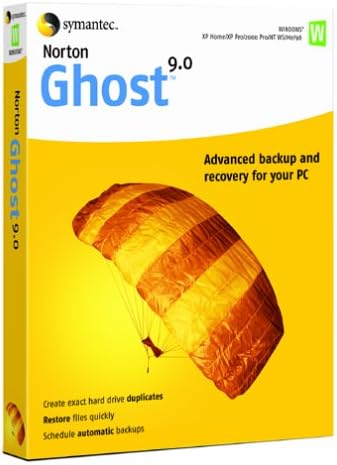
Norton Ghost 9.0 OLD VERSION
Nº de artículo:
124881121
USD 71
Price Details
Excluding Shipping & Custom charges ( Shipping and custom charges will be calculated on checkout )
*All items will import from Estados Unidos
0 ratings
Escribe una opinión
En stock
 Importado de la tienda USA
Haz tu pedido ahora y recíbelo por ahí Sunday, Julio 12
Secured transaction
Ubuy works hard to protect your security and privacy. Our advanced payment security system ensures confidentiality by encrypting your information during transmission using AES (Advanced Encryption Standards) and SSL (Secure Socket Layer) protocols. Your payment details are 100% secure as we do not share your payment details with third party sellers.
Our Top Logistics Partners


Protect your data by making a backup of your hard drives contents--without restarting Windows.

Fast
Shipping

Free
Return*

Secure Packaging

100% Original Products

PCI DSS Compliance

ISO 27001 Certified


What Stands Out
Comprehensive Backups
Norton Ghost 9.0 offers extensive data backup options, ensuring your files are secure from loss, allowing users to restore their systems swiftly should data loss occur.
User-Friendly Interface
The intuitive interface simplifies the backup process, making it accessible for users of all skill levels, ensuring a hassle-free experience for both tech-savvy individuals and beginners.
Flexible Recovery Options
With tailored recovery solutions, Norton Ghost 9.0 allows users to restore specific files or entire systems, offering flexibility and peace of mind when addressing data recovery scenarios.
Detalles de producto
| Item Weight | 1 lbs (450 grams) |
Who Should Buy?

-
Home Users
Ideal for casual users needing simple backup solutions to protect files and system settings easily.
-
Small Businesses
Useful for small business owners requiring reliable disk imaging for data recovery and system restoration.
-
IT Professionals
Suitable for IT specialists who prefer legacy software for data backup strategies and system management.

-
Large Enterprises
Not suitable for large companies needing advanced features, scalability, and efficient backup solutions.
-
Cloud Users
Inadequate for users relying on cloud backup services due to lack of modern cloud integration capabilities.
-
Tech Newbies
Not ideal for inexperienced users, as the software interface might be complex and challenging to navigate.
DESCRIPCIÓN DEL PRODUCTO
Norton Ghost 9.0 OLD VERSION
¿Tienes alguna consulta? Chatea con nosotros
Preguntas y respuestas de los clientes
-
Pregunta:
What is Norton Ghost 9.0 and what does it do?
Respuesta: Norton Ghost 9.0 is a data backup and recovery software that allows users to create disk images of their hard drives. This software ensures that all your files, programs, and settings are securely saved, preparing you for any unexpected data loss. It utilizes advanced imaging technology to capture an exact snapshot of your system, enabling quick restoration in case of hardware failure or corruption. For instance, if your computer crashes and all your data becomes inaccessible, you can easily restore it using the image created by Norton Ghost 9.0. -
Pregunta:
Is Norton Ghost 9.0 compatible with Windows 10?
Respuesta: Norton Ghost 9.0 was primarily designed for earlier versions of Windows such as Windows XP and Windows 2000. Its compatibility with Windows 10 isn't officially supported, which may lead to instability or lack of functionality. Users looking to restore older systems or maintain legacy backups might still find it useful, but for newer systems, it's recommended to consider updated tools designed for modern environments, including better integration with current file systems. -
Pregunta:
Can I use Norton Ghost 9.0 to clone my hard drive?
Respuesta: Yes, Norton Ghost 9.0 allows users to clone their hard drives, creating a direct copy of your existing drives onto another drive. This is especially useful for upgrading your storage system or migrating data to a new hard drive. Once cloned, your new drive will have all your programs, files, and settings as they were on the original drive, making for a seamless transition without the need for reinstalling software or manually transferring files. -
Pregunta:
What types of backups can I perform with Norton Ghost 9.0?
Respuesta: Norton Ghost 9.0 offers several backup options, including full disk imaging and incremental backups. A full disk image backup captures an exact replica of your entire hard drive, while incremental backups allow you to save only the changes made since the last backup. This flexibility helps manage storage space efficiently and ensures that you have comprehensive recovery options available, so whether you need a full snapshot of your system or a quick update, Norton Ghost covers your needs. -
Pregunta:
How do I create a bootable recovery disk with Norton Ghost 9.0?
Respuesta: To create a bootable recovery disk with Norton Ghost 9.0, you'll need to launch the software and navigate to the 'Create Recovery Disk' option. From there, you'll select your desired optical drive (CD/DVD) or USB to save the boot image. This disk will allow you to boot your computer and restore disk images in case your operating system fails or becomes unresponsive, giving you peace of mind by ensuring that you can always access your backups when needed. -
Pregunta:
Can I schedule backups with Norton Ghost 9.0?
Respuesta: Yes, Norton Ghost 9.0 includes scheduling features that enable you to automate your backup processes. By setting up a backup schedule, you can ensure that your data is regularly backed up without manual intervention, which is particularly crucial for users managing large volumes of data or businesses with critical information. This feature allows you to select specific days and times for backups, ensuring your system is always protected without disrupting your daily activities. -
Pregunta:
What should I do if Norton Ghost 9.0 fails to backup my data?
Respuesta: If Norton Ghost 9.0 fails to backup your data, first ensure that you have enough storage space on your chosen backup medium. Check for any errors or warning messages during the backup process, as these can provide insights into what went wrong. Additionally, updating the software or rebooting your computer may resolve underlying issues. If the problem persists, consider consulting the user manual or seeking help from online forums to troubleshoot specific error messages for a solution. -
Pregunta:
Is there a limit on the size of files I can backup with Norton Ghost 9.0?
Respuesta: Norton Ghost 9.0 does not impose a specific size limit on individual files for backup; however, the total backup size may be constrained by the storage medium you are using. Keep in mind that larger backup files will take more time to create and restore, and may require significant disk space on your backup device. It's advisable to regularly check the available space on your backup mediums and manage your backups efficiently to avoid running into issues with size limitations. -
Pregunta:
Where can I buy Norton Ghost 9.0 OLD VERSION in Puerto Rico?
Respuesta: You can purchase Norton Ghost 9.0 OLD VERSION on Ubuy. Ubuy provides a reliable platform to find legacy software like Norton Ghost 9.0, making it easier for those who need to access, use, or implement older versions of this data backup solution. Simply visit the Ubuy website, search for Norton Ghost 9.0, and follow through with your ordering process. -
Pregunta:
What are the advantages of using Norton Ghost 9.0 over newer backup solutions?
Respuesta: One of the main advantages of using Norton Ghost 9.0 is its robust and straightforward technology, which appeals to users who appreciate traditional imaging software. While newer solutions offer advanced features such as cloud integrations, Norton Ghost 9.0 is valued for its simplicity and effectiveness, especially for users familiar with its interface. For those managing legacy systems or preferring a no-frills backup solution, Norton Ghost 9.0 provides a reliable means of protecting vital data efficiently.
Symantec Backup Editorial Review
** Norton Ghost 9.0** Norton Ghost 9.0 has received a largely critical reception from customers who express Considerable disappointment with its performance and usability. While some users appreciate the potential of the backup software to restore a crashed drive, many report that the process is fraught with problems and frustrations. The interface deviates from what users expect based on previous Symantec/Norton products, leading to confusion and inefficiencies. One of the most significant complaints is related to the size of backups, which users note are substantially larger than those created with its predecessor, Ghost 2003. This has made it cumbersome as the program requires more storage space – a factor that many find off-putting. Furthermore, the software has been described as 'bloated' and 'buggy', with users dealing with unexpected errors and poor support from the company. Restoration processes can be tedious, often requiring multiple attempts and reboots that take excessively long. Users have also reported issues with the program's ability to recognize backup locations, especially on network drives, which adds another layer of complexity to the restoration process. Additionally, the promise of incremental backups and other newer features has not resonated well with users, many of whom find these aspects poorly implemented or not functioning as documented. Coupled with a lack of effective tech support, the overall impression is one of a product that struggles to deliver on its claims, and in some cases even hinders the functioning of the user's system. In summary, while some users managed to get satisfactory backup results thanks to the software, the journey is often riddled with obstacles leading many to recommend alternatives such as Ghost 2003 or Acronis True Image instead. **
Customer Reviews & Ratings
1 valoraciones de los clientes
-
5 estrella
100%
-
4 estrella
0%
-
3 estrella
0%
-
2 estrella
0%
-
1 estrella
0%
Revisar este producto
Comparte tus ideas con otros clientes
ventajas
- Successful restoration of a crashed drive reported by some users.
- Network recovery option is available.
- Incremental backup feature has potential.
Contras
- Bloated and buggy interface deviates from past Symantec/Norton products.
Product Price History
Información importante
- Limitaciones: Para los productos enviados al extranjero, ten en cuenta que cualquier garantía del fabricante puede no ser válida; las opciones de servicio del fabricante pueden no estar disponibles; los manuales del producto, las instrucciones y las advertencias de seguridad pueden no estar en los idiomas del país de destino; los productos (y los materiales que los acompañan) pueden no estar diseñados de acuerdo con las normas, especificaciones y requisitos de etiquetado del país de destino; y los productos pueden no ajustarse al voltaje del país de destino y a otras normas eléctricas (lo que requiere el uso de un adaptador o convertidor, si procede). El destinatario es responsable de asegurarse de que el producto puede ser importado legalmente al país de destino. Cuando hagas un pedido a Ubuy o a sus filiales, el destinatario es el importador registrado y debe cumplir todas las leyes y normativas del país de destino.
- No todos los productos que aparecen en Ubuy están a la venta, ya que Ubuy es un motor de búsqueda a nivel mundial. Los productos están sujetos a las normas de exportación/comercio.
USD 71
Haz tu pedido ahora y recíbelo por ahí Sunday, Julio 12
This item is not restrict in my country.(Please click on above link if this item is not restrict in your country, So our team will review and allow.)
QTY:
Secured transaction
Ubuy works hard to protect your security and privacy. Our advanced payment security system ensures confidentiality by encrypting your information during transmission using AES (Advanced Encryption Standards) and SSL (Secure Socket Layer) protocols. Your payment details are 100% secure as we do not share your payment details with third party sellers.
Our Top Logistics Partners
Fastest cross-border delivery
características y beneficios
- Advanced backup and recovery solution for your PC.
- Create backup images without needing to restart Windows.
- Incremental backups save both time and disk space.
- Schedule automatic backups to keep your data safe.
- Restore individual files, folders, or entire hard drives quickly.
- Compatibility with various hard drives and removable media.