- Página de inicio /
- Libros /
- Computadoras y tecnología /
- Programming /
- Microsoft Programming /
- VBA /
- Mastering Excel VBA Programming: A Hands-On G...
0 ratings

Nº de artículo:
117098142
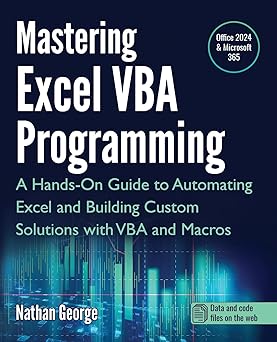
Mastering Excel VBA Programming: A Hands-On Guide to Automating Excel and Building Custom Solutions with VBA and Macros
Nº de artículo:
117098142
USD 42
Price Details
Excluding Shipping & Custom charges ( Shipping and custom charges will be calculated on checkout )
*All items will import from Estados Unidos
0 ratings
Escribe una opinión
En stock
 Importado de la tienda USA
QTY:
Haz tu pedido ahora y recíbelo por ahí Jueves, Julio 23
Secured transaction
Ubuy works hard to protect your security and privacy. Our advanced payment security system ensures confidentiality by encrypting your information during transmission using AES (Advanced Encryption Standards) and SSL (Secure Socket Layer) protocols. Your payment details are 100% secure as we do not share your payment details with third party sellers.
Our Top Logistics Partners


This book will teach you how to use the power of VBA to create sophisticated Excel solutions in a step-by-step approach.

Fast
Shipping

Free
Return*

Secure Packaging

100% Original Products

PCI DSS Compliance

ISO 27001 Certified


What Stands Out
Practical Application
Offers hands-on projects that enable users to immediately apply learned VBA concepts to real-world scenarios, enhancing both understanding and retention of material.
Comprehensive Coverage
Covers everything from basic to advanced VBA techniques, providing a thorough resource that caters to both beginners and experienced users seeking to deepen their Excel automation skills.
Custom Solutions
Guides users in creating tailored Excel solutions, empowering them to save time and improve efficiency by automating repetitive tasks seamlessly with VBA and macros.
Detalles de producto
| Item Weight | 1 lbs (450 grams) |
Who Should Buy?

-
Aspiring Programmers
Perfect for individuals looking to enhance their programming skills specifically in Excel using VBA and Macros.
-
Business Analysts
Ideal for analysts who need to automate repetitive tasks in Excel to improve efficiency and accuracy.
-
Excel Power Users
Beneficial for advanced Excel users wanting to customize solutions and streamline their workflows using VBA.

-
Beginners in Excel
Not suitable for users without basic Excel skills, as VBA requires foundational knowledge of Excel functionalities.
-
Occasional Users
Casual users of Excel who rarely utilize advanced features may not find value in learning VBA programming.
-
Non-Technical Professionals
Individuals intimidated by programming or lacking interest in technical solutions may struggle with VBA programming concepts.
DESCRIPCIÓN DEL PRODUCTO
Mastering Excel VBA Programming: A Hands-On Guide to Automating Excel and Building Custom Solutions with VBA and Macros
¿Tienes alguna consulta? Chatea con nosotros
Preguntas y respuestas de los clientes
-
Pregunta:
What is Excel VBA Programming and why is it important?
Respuesta: Excel VBA Programming involves using Visual Basic for Applications to automate tasks and create custom functionalities within Excel. It is essential for users who want to enhance their productivity by streamlining repetitive tasks, creating advanced data analysis tools, and developing customized applications tailored to their specific needs. Mastering VBA can significantly boost efficiency, allowing for complex data manipulation and user-specific automations. -
Pregunta:
Who should consider learning VBA for Excel?
Respuesta: Anyone who regularly uses Excel and wants to maximize its capabilities should consider learning VBA. This includes data analysts, financial professionals, project managers, and even casual users looking to automate their workflows. Learning VBA can transform how you interact with Excel, making processes more efficient and user-friendly. For example, a project manager can automate reporting processes, saving hours of manual work. -
Pregunta:
Can beginners learn VBA programming effectively through this guide?
Respuesta: Yes, 'Mastering Excel VBA Programming' is designed for both beginners and those with some programming knowledge. It includes hands-on exercises and practical examples that gradually build your skills. Beginners can start with basic concepts and progressively tackle more complex projects, making it accessible for anyone determined to enhance their Excel proficiency and automate processes. -
Pregunta:
What specific topics are covered in this guide?
Respuesta: The guide covers a variety of topics essential for mastering VBA, including the fundamentals of programming, automating repetitive tasks, building custom functions, and creating user forms. It also dives into advanced techniques such as error handling and debugging. Each section is complemented with examples and exercises, ensuring a practical understanding that can be applied to real-world scenarios in Excel. -
Pregunta:
How can VBA enhance my Excel data analysis?
Respuesta: VBA can significantly improve your data analysis capabilities by allowing you to automate calculations, create custom analytical tools, and visualize data more effectively. By scripting repetitive tasks, you can focus on interpreting results and making decisions rather than spending time on manual inputs. For instance, a financial analyst can automate report generation, ensuring data is always up-to-date without manual intervention. -
Pregunta:
Are there any prerequisites for learning VBA?
Respuesta: While there are no stringent prerequisites, a basic understanding of Excel and its functionalities is beneficial. Familiarity with concepts such as formulas, functions, and Excel’s interface will help you grasp VBA concepts more quickly. Having practical experience in Excel will make it easier to understand how VBA can complement your existing skills, enriching your overall proficiency. -
Pregunta:
What are some practical applications of VBA in the workplace?
Respuesta: VBA has numerous practical applications in various sectors. For instance, it can be used to automate report generation, create interactive dashboards, or set up data input forms for employee use. In finance, analysts can use VBA to automate spreadsheet calculations, while marketers might use it for managing and analyzing customer data, ultimately saving time and reducing errors in data entry. -
Pregunta:
How does this guide help in building custom solutions?
Respuesta: This guide provides step-by-step instructions and practical examples to help users design and implement custom solutions in Excel. By learning VBA, users can tailor functionalities to meet specific requirements, such as developing unique data-processing scripts or creating customized user interfaces. It empowers users to think creatively about how to apply Excel to resolve specific challenges in their work environments. -
Pregunta:
Is it possible to discover new features in Excel through VBA?
Respuesta: Absolutely! Learning VBA opens up a whole new realm of possibilities in Excel that goes beyond built-in functionalities. By understanding how to program within Excel, you can harness advanced features like creating dynamic charts, automating data sorting, and enhancing user interactivity. This leads to discovering innovative ways to present and analyze data, ultimately improving your results and presentations. -
Pregunta:
Where can I buy Mastering Excel VBA Programming in Puerto Rico?
Respuesta: You can purchase 'Mastering Excel VBA Programming: A Hands-On Guide to Automating Excel and Building Custom Solutions with VBA and Macros' from Ubuy. Ubuy offers a convenient platform to explore and acquire this guide, ensuring a user-friendly shopping experience tailored to your location in Puerto Rico.
VBA Editorial Review
No se encontraron reseñas editoriales
Customer Reviews & Ratings
1 valoraciones de los clientes
-
5 estrella
100%
-
4 estrella
0%
-
3 estrella
0%
-
2 estrella
0%
-
1 estrella
0%
Revisar este producto
Comparte tus ideas con otros clientes
Platform Trust & Buyer Confidence

MT
Mohd
Verified buyer
“The product received very good packaging & safe…Thank You”
16 June 2026 · via Trustpilot
SJ
Shawati
Verified buyer
“Accurate delivery timing given”
16 June 2026 · via Trustpilot
YB
Youcef
Verified buyer
“Not madly expensive like I thought, and much quicker than promised.”
15 June 2026 · via Trustpilot
LM
Leila
Verified buyer
“Never dealt with Ubuy before, but everything worked out great. Seamless cross border purchasing and shipping. Thanks!”
6/7/2026 · via Trustpilot
KA
Kwame
Verified buyer
“The process was smooth, with clear communication and timelines. This was my 1st purchase and I am really impressed. I will definitely be coming back.”
12 June 2026 · via Trustpilot
Pago seguro
Global Delivery
Easy Returns
Genuine Products
Product Price History
Información importante
- Limitaciones: Para los productos enviados al extranjero, ten en cuenta que cualquier garantía del fabricante puede no ser válida; las opciones de servicio del fabricante pueden no estar disponibles; los manuales del producto, las instrucciones y las advertencias de seguridad pueden no estar en los idiomas del país de destino; los productos (y los materiales que los acompañan) pueden no estar diseñados de acuerdo con las normas, especificaciones y requisitos de etiquetado del país de destino; y los productos pueden no ajustarse al voltaje del país de destino y a otras normas eléctricas (lo que requiere el uso de un adaptador o convertidor, si procede). El destinatario es responsable de asegurarse de que el producto puede ser importado legalmente al país de destino. Cuando hagas un pedido a Ubuy o a sus filiales, el destinatario es el importador registrado y debe cumplir todas las leyes y normativas del país de destino.
- No todos los productos que aparecen en Ubuy están a la venta, ya que Ubuy es un motor de búsqueda a nivel mundial. Los productos están sujetos a las normas de exportación/comercio.
USD 42
Haz tu pedido ahora y recíbelo por ahí Jueves, Julio 23
This item is not restrict in my country.(Please click on above link if this item is not restrict in your country, So our team will review and allow.)
QTY:
Secured transaction
PCI DSS compliant and ISO 27001:2022 certified, with encrypted payments and full buyer protection on every order.
Our Top Logistics Partners
Fastest cross-border delivery
características y beneficios
- Master Excel with VBA and Macros, no programming experience required.
- Create faster, more effective spreadsheet solutions for your job or business.
- Learn real-world examples and practical applications for immediate use.
- Enhance career opportunities across various industries like finance and IT.
- Quickly automate repetitive tasks to save time and increase efficiency.
- Develop custom functions for complex calculations not possible with built-in features.
Ubuy Assurance
Experience worry-free shopping with 100% original products, PCI DSS-compliant payment security, ISO 27001-certified data protection, the fastest cross-border delivery, free returns *, and secure packaging on every order.